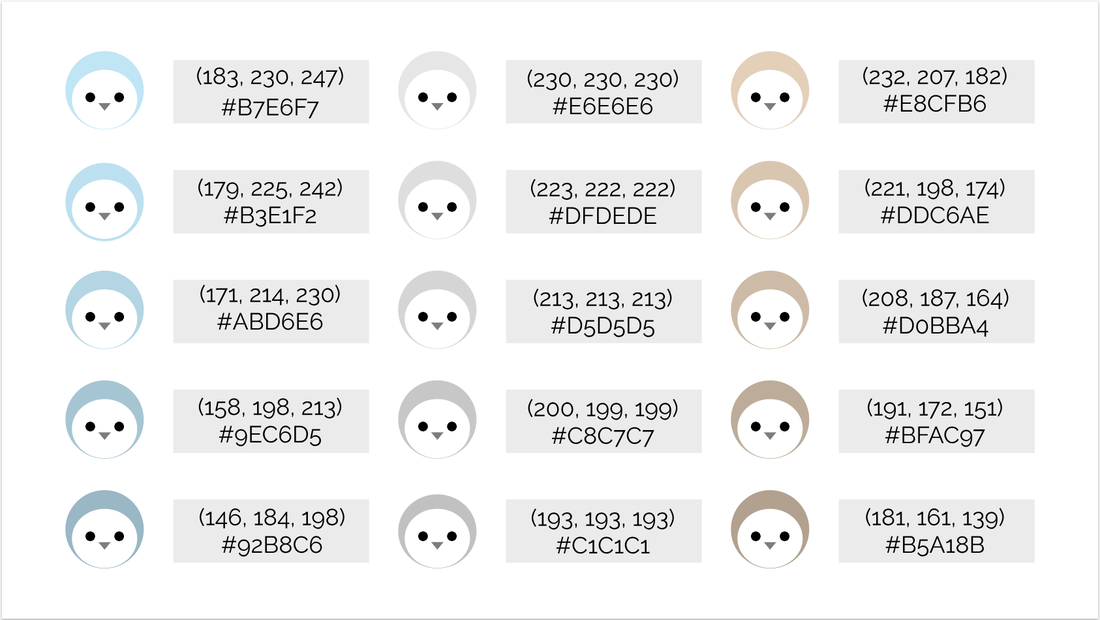
 In this assignment, we had to create a simple artwork and make 15 copies of it with different colors. First, I made a penguin by using simple shapes(circles and a triangle). To make it, I overlapped two circles(one was bigger than the other) and made sure that they were centered by using the align center tool. Then I added the eyes by making two black circles and added a gray triangle for its mouth. After I made 15 copies of the penguins, I changed its feather colors to 15 different shades. As you can see above, I chose blue, gray, and tan and made the values get darker. Then I made the boxes for the text and put the text boxes over them. Finally, I found the RGB values and the HEX code for each color and typed them down in the boxes. While I was making this, making the alignment for the gray boxes was hard because the penguins were circles. So I had to make two smaller boxes(identical in size) and put them on each side of the boxes and see if the ends didn't go over the penguin's guides. This worked out well and the final result looked organized and aligned.
0 Comments
|
Archives
April 2019
Categories
All
 This work is licensed under a Creative Commons Attribution-NonCommercial-NoDerivatives 4.0 International License. |
